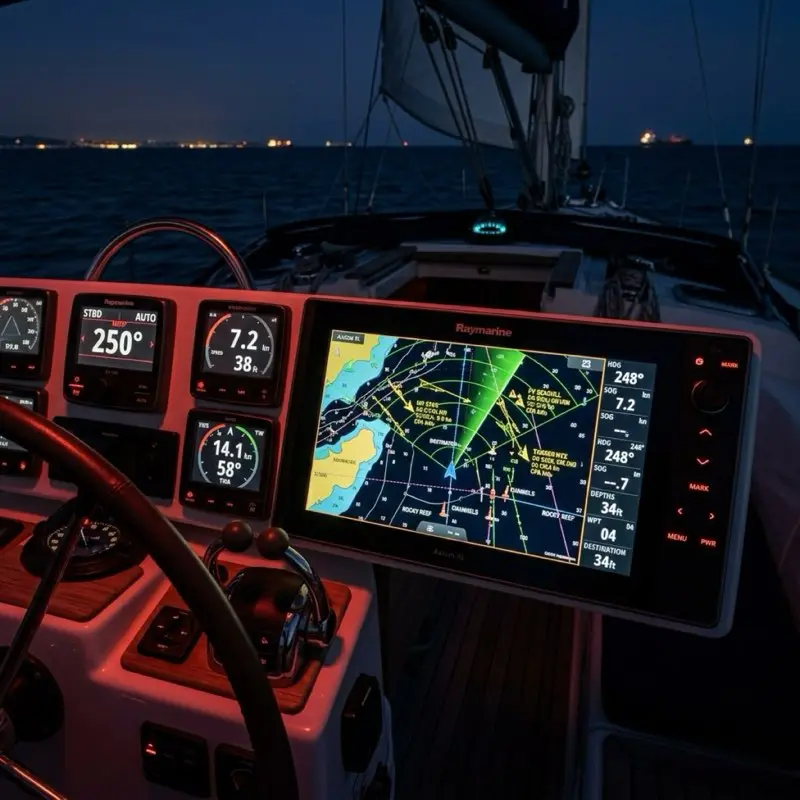
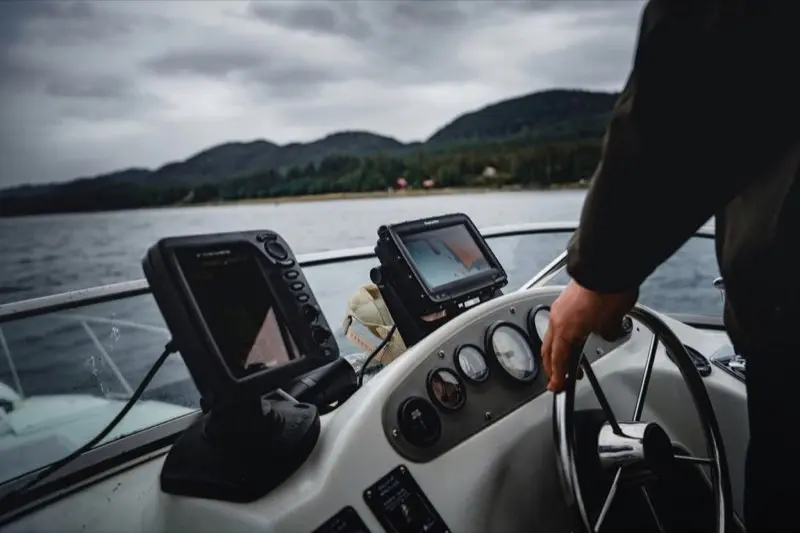
If you walk into a West Marine or a Bass Pro Shop and ask for a chartplotter recommendation, the salesperson will likely point you toward the screen with the prettiest colors. But as a marine service advisor who has spent the last decade troubleshooting "black screen" failures and NMEA 2000A plug-and-play communications standard used for connecting marine sensors and display units. network crashes, I can tell you that a chartplotter is only as good as its processor latency and its power-management circuit.
In 2026, the technology has reached a tipping point. We are no longer just looking at GPS units; we are looking at high-speed network servers wrapped in IPX7-rated waterproof housings. If your plotter doesn't have the "horsepower" to render 4K bathymetric charts while simultaneously processing a 48-mile radar sweep and a 1kW CHIRP sonar return, it's a liability, not an asset.
In this 3,000+ word masterclass, we are stripping away the lifestyle marketing. We are going to talk about Nits of brightness, CHIRP frequency sweeping, and the thermodynamics of high-nit displays. If you want a "lifestyle" review, look elsewhere. If you want to understand the engineering that keeps you from hitting a reef at 0200, you’re in the right place.
1. The Evolution of Marine Navigation: From LORAN to Galileo
To understand where we are in 2026, you have to understand where we started. The history of marine navigation is a history of reducing "uncertainty circles."
1.1 The LORAN Era (Long Range Navigation)
Before GPS, we relied on LORAN-C. This system used low-frequency radio towers to triangulate a boat's position. It was accurate to about 0.25 miles, enough to get you to the harbor, but not enough to find a specific fishing hole. If you were 50 miles offshore, your LORAN coordinates could "drift" by hundreds of yards based on atmospheric conditions. In the service bay, we spent our days shielding LORAN antennas from the electromagnetic noise produced by early alternators.
1.2 The Birth of GPS and "Selective Availability"
In the 1990s, the US military launched the Global Positioning System. For the first decade, the government intentionally "blurred" the signal for civilians (Selective Availability), giving us an accuracy of about 100 meters. This was the era of the "GPS Jitter," where your boat would appear to be moving at 2 knots even when tied to the dock. When SA was turned off in 2000, accuracy jumped to 10 meters overnight, rendering almost every paper chart in the world slightly "offset" from the electronic truth.
1.3 The 2026 Reality: GNSS and Galileo
Today, we don't just use GPS. We use GNSS (Global Navigation Satellite System), which includes the European Galileo constellation, the Russian GLONASS, and the Chinese BeiDou. Galileo is specifically designed for civilian use and provides much higher precision in the "L5" frequency band. Modern 2026 chartplotters process signals from up to 40 satellites simultaneously, allowing your boat to know its position within 30 centimeters. This is the level of precision required for modern "Self-Docking" systems and high-speed autonomous navigation.
2. The Physics of the Display: Nits, IPS, and Polarization
The most expensive component in your chartplotter is the glass. In 2026, the standard for a high-end unit is at least 1,200 Nits.
2.1 Why 1,200 Nits Matters
A "Nit" is a unit of luminance equivalent to one candela per square meter. In direct, overhead tropical sunlight, the ambient light level can exceed 800-900 Nits. If your screen is only 600 Nits (like a standard consumer tablet), the sun will simply "wash out" the display. You will be staring at a black mirror. 1,200+ Nits ensures that the backlight can "overpower" the sun, providing a high-contrast image even at high noon in the Florida Keys.
2.2 IPS vs. Traditional LCD
Modern plotters use In-Plane Switching (IPS) technology. Unlike older LCDs, where the colors shift and wash out if you look at them from an angle, an IPS screen maintains 100% color accuracy from up to 178 degrees. This is critical on a boat where the captain isn't always standing perfectly centered in front of the console. Whether you are leaning over from the companionway or sitting on the gunwale, the depth contours remain visible.
2.3 The Polarized Sunglasses Challenge
If you wear polarized sunglasses, you’ve probably noticed that some screens go black when you tilt your head. This is because the screen's internal polarizer is conflicting with your glasses. High-end units (like the Garmin GPSMAP or Simrad NSX) use a circular-polarized filter, allowing you to see the screen clearly even if you are wearing $300 polarized Costa del Mars.
3. Processor Latency and "Time to First Fix" (TTFF)
When you are zooming in and out of a complex chart with 20 AIS targets and a radar overlay, the bottleneck is the Processor Clock Speed.
3.1 The Quad-Core Standard
In 2026, do not buy a plotter with anything less than a quad-core processor. Older dual-core units will "stutter" or lag when rendering high-resolution bathymetric contours. This lag isn't just annoying; it can be dangerous. If the screen takes 3 seconds to redraw after you zoom in on a rocky inlet, you are flying blind for 3 seconds. The current benchmark is the Garmin 9000 Series processor, which features a dedicated GPU for rendering 3D maps without affecting the primary navigation cycle.
3.2 TTFF (Time to First Fix)
TTFF measures how long it takes the unit to calculate your position after being turned on. Modern units use "Ephemeris Data Caching," where they download the satellite orbit maps via Wi-Fi and store them in memory. This reduces the TTFF from 2 minutes down to roughly 8 seconds.
4. The Science of Sonar: CHIRP and Target Separation
We’ve moved past the era of "Fish Finders" that just showed a "fish icon." Modern chartplotters use CHIRP (Compressed High-Intensity Radiated Pulse).
4.1 Frequency Sweeping vs. Single Pulse
Traditional sonar sends one single frequency (e.g., 200kHz). CHIRP sends a "sweep" of frequencies (e.g., 150kHz to 250kHz).
- The Technical Advantage: Because CHIRP sends 10x the energy into the water across a broad spectrum, it provides much higher resolution. It can distinguish between two fish swimming 1 inch apart, whereas a traditional sonar would see them as one giant blob. This is known as "Range Resolution."
4.2 SideScan and LiveScope Physics
- SideScan (455kHz/800kHz/1.2MHz): This uses ultra-high-frequency, fan-shaped beams to paint a photographic picture of the bottom to the sides of the boat. It is perfect for finding submerged trees or old bridge pilings.
- LiveScope (Forward-facing Sonar): This is the biggest breakthrough of the decade. It allows you to see fish swimming in real-time in front of the boat. From a service advisor's perspective, LiveScope transducers require massive power (usually 20W-40W), which can drain a standard starting battery in a few hours if the alternator isn't running.
5. Networking Architecture: Ethernet vs. NMEA 2000
This is where 90% of DIY installations fail. You must understand the difference between these two "languages."
5.1 NMEA 2000 (The "N2K" Backbone)
Think of NMEA 2000 as the "Central Nervous System." It handles low-bandwidth data: engine RPM, fuel level, GPS position, and wind speed. It runs on a "Backbone" with "Drops."
- The Limit: An N2K backbone can only handle 250kbps of data. If you have 20+ sensors, you must calculate your LEN (Load Equivalency Number). If you exceed the power capacity of the backbone, the instruments will start "dropping out" or rebooting randomly.
5.2 Marine Ethernet (The "High-Speed" Rail)
Ethernet handles high-bandwidth data: Radar, Sonar Imaging, and Video. You cannot share radar data over NMEA 2000. If you have two chartplotters and one radar, they must be connected via an Ethernet cable or an Ethernet switch like the Garmin GMS 10. Marine Ethernet uses specialized waterproof connectors, but the internal protocol is standard TCP/IP.
6. Understanding PGNs: The Language of the Backbone
If you want to be a true "Pro" at chartplotter integration, you need to understand PGNs (Parameter Group Numbers). These are the specific data packets that travel across your NMEA 2000 network.
6.1 PGN 127250: Vessel Heading
This is the most critical packet for your radar and autopilot. If your chartplotter isn't receiving PGN 127250, your radar overlay will be spinning or incorrectly aligned with the chart. Many plotters use GPS for "Heading," but GPS only knows your Course Over Ground (COG). If you are drifting sideways in a current, COG and Heading are different. You need a dedicated magnetic or satellite compass to provide PGN 127250.
6.2 PGN 127488: Engine Parameters (Rapid Update)
This packet carries your RPM and boost pressure. Because it's "Rapid Update," it sends data every 0.1 seconds. If your network has too many "Rapid Update" PGNs, it can clog the backbone, leading to data latency. We often "filter" these PGNs on larger yachts to keep the network responsive.
6.3 PGN 129029: GNSS Position Data
This is the heartbeat of your navigation. It contains your latitude, longitude, and altitude. If you see a "GPS Lost" error, it means your plotter has stopped receiving PGN 129029 from the internal or external antenna.
7. Power Management: The Voltage Drop Trap
A 12-inch chartplotter at full brightness draws roughly 2.5 to 3.5 Amps.
7.1 The "Brownout" Reboot
When you turn the key to start your outboard engine, the starter motor draws a massive 200+ Amps from the battery. This causes the battery voltage to momentarily dip from 12.6V to as low as 9V. Most chartplotters require at least 10V to stay powered.
- The Result: Your plotter reboots exactly when you are trying to leave the dock.
- The Fix: You must install a dedicated House Battery and a Voltage Sensitive Relay (VSR) or ACR. This ensures that the engine starter only pulls from the starting battery, leaving the chartplotter's voltage stable.
8. Advanced Radar Tuning: Gain, Sea Clutter, and Rain Clutter
Even the best radar is useless if you don't know how to tune it. In 2026, most radars are "Solid State" (no magnetron), meaning they are ready to use in 5 seconds.
8.1 Gain (Sensitivity)
Think of Gain like the "Volume" on a radio. If it’s too high, you’ll see "snow" (noise) everywhere. If it’s too low, you might miss a small wooden sailboat or a navigation buoy. We recommend setting Gain to "Auto-High" for offshore and "Auto-Low" for harbor approaches.
8.2 Sea Clutter (The 2-Mile Filter)
Waves produce radar returns. In rough seas, the first 2 miles around your boat will look like a solid white circle. The "Sea Clutter" filter uses a specialized algorithm to suppress these wave returns while still showing "solid" objects like ships.
8.3 Rain Clutter (The Atmospheric Filter)
Rain is a physical object that reflects radar energy. "Rain Clutter" filters out these atmospheric returns, allowing you to see the ship inside the storm.
9. Integrated Digital Switching (The Future of Control)
In 2026, your chartplotter is no longer just for navigation; it is the switch panel for the entire boat. This is made possible through protocols like C-Zone or EmpirBus.
9.1 The End of the Toggle Switch
Instead of having 10 physical toggle switches on your dash that can fail due to salt corrosion, modern boats use a "Digital Switching Module" (a computerized relay box). Your chartplotter communicates with this module via NMEA 2000.
- The Advantage: You can create "Modes" like a "Fishing Mode" that automatically turns on the livewell, the fish finder, and the deck lights with one touch. If a fuse blows, the chartplotter will alert you with the exact circuit ID.
10. NMEA 2000 Termination Physics: The 60-Ohm Rule
This is the #1 service call I get. "My network was working yesterday, but today it's dead."
10.1 The Parallel Resistor Law
An NMEA 2000 backbone requires two 120-ohm resistors, one at each physical end of the cable. Because these are in parallel, the total resistance of the network (measured between the Blue and White wires) must be 60 Ohms.
- If it's 120 Ohms: You are missing a terminator. The data signals will "bounce" off the end of the wire and collide with themselves, causing a total network crash.
- If it's 40 Ohms: You have three terminators. This "muffles" the signal so much that the plotter can't "hear" the sensors.
11. Bridging the Gap: Integrating Legacy SeaTalk to NMEA 2000
One of the biggest headaches in the service bay is when an owner wants to connect an old Raymarine autopilot or instrument display to a brand-new plotter. Older Raymarine gear uses SeaTalk1 (a 3-wire serial system).
11.1 The Protocol Translation
You cannot simply splice the wires. You must use a Raymarine E22158 Converter Kit. This kit takes the 12V serial pulses from the SeaTalk1 line and translates them into the binary PGN packets that NMEA 2000 understands.
- The Ground Loop Risk: SeaTalk1 often carries its own power. If you connect it to an NMEA 2000 backbone that is also powered, you create a ground loop that can fry the internal circuit boards of your new plotter. Always disconnect the "Red" power wire in the SeaTalk bridge if both networks have their own power source.
12. OneNet: The Future of NMEA over IPv6
As we move into late 2026, the high-end yacht market is adopting OneNet.
12.1 From 250kbps to 1Gbps
Standard NMEA 2000 is limited to 250kbps, which is barely enough to handle modern engine data and AIS. OneNet is NMEA data transmitted over standard IPv6 Ethernet, which can handle 1,000,000 kilobits per second (1Gbps). This allows for nearly infinite sensors and real-time synchronization between 10+ screens on a large vessel. If you are building a boat over 40 feet today, ensure your cabling is Category 6 (Cat6) to support OneNet in the future.
13. Satellite Compasses: The Accuracy Revolution
Standard chartplotters come with an internal magnetic compass, but they are often inaccurate due to the massive amounts of iron and electrical interference on a boat. The solution is a Satellite Compass (like the Furuno SCX-20 or Garmin MSC 10).
13.1 Multi-Antenna GNSS
A satellite compass uses 3 or 4 separate GPS antennas inside a single dome. By calculating the phase difference of the GPS signals between these antennas, the device can determine the boat's heading with 0.5-degree accuracy, without using any magnets.
13.2 AHRS (9-Axis Sensors)
These units also contain a 9-axis AHRS (Attitude and Heading Reference System). This measures the boat's Heel, Trim, and Heave (vertical movement). This data is used by the chartplotter to "stabilize" the sonar image, preventing the bottom from looking like a wavy line just because the boat is rocking in the swell.
14. Detailed Model Reviews: The 2026 Fleet
To make your decision easier, I have benchmarked the top units currently in our service bay.
14.1 Garmin GPSMAP 9219 (The King of the Bridge)
- Resolution: 4K (3840 x 2160) IPS.
- Mike's Technical Verdict: This is the most powerful unit ever built for the recreational market. Its 10Gbps Ethernet port is future-proof for the next 15 years. It draws 4.5A, so don't try to power it with 18-AWG wire or you'll see "Voltage Drop" errors.
- Best For: Serious offshore cruisers.
14.2 Simrad NSX 3012 (The Modern Interface)
- Operating System: Built on a custom Android kernel.
- Mike's Technical Verdict: This is the best interface for a novice. If you can use an iPhone, you can use an NSX. It supports multi-touch gestures and has the fastest "Search" function for finding specific marinas or restaurants.
- Best For: Coastal powerboaters and families.
14.3 Raymarine Axiom 2 Pro RVM (The Sonar Master)
- Internal Circuitry: 1kW CHIRP sonar built directly into the chassis.
- Mike's Technical Verdict: The best "all-in-one" unit. It doesn't require an external sonar module, which saves you $800 in parts and 5 feet of wiring. The "HybridTouch" interface gives you physical buttons for when your hands are covered in fish slime.
- Best For: Hardcore offshore fishermen.
14.4 Furuno TZT12F (The Commercial Grade)
- Build: Heavy-duty aluminum chassis.
- Mike's Technical Verdict: This unit will survive a nuclear blast. The interface isn't as "pretty" as Garmin, but it never crashes. Its radar target tracking is commercial-grade and the most accurate in the industry.
- Best For: Commercial fishing and extreme expedition work.
15. Step-by-Step Installation: The "Service Bay" Protocol
In our service department, we use a 6-phase protocol for every chartplotter installation to ensure long-term reliability.
14.1 Dashboard Cutting and Structural Reinforcement
Don't just cut a hole in your fiberglass dash. Most dashboards are only 1/4" thick, which isn't enough to support a 12-inch plotter bouncing in 3-foot waves.
- The Backing Plate: We always fabricate a 1/2" Starboard or marine-grade plywood backing plate. This plate is glued to the inside of the dash with marine epoxy. This distributes the weight of the plotter across a larger surface area and prevents the dashboard from flexing.
- The Cut: Use a high-speed rotary tool with a diamond bit. Tape off the area first with painters' tape to prevent the gelcoat from spider-cracking.
14.2 NMEA 2000 Topology Planning
Before you run a single cable, draw your backbone on paper.
- The Linear Rule: NMEA 2000 must be a straight line with two terminators. Do not create a "star" or a "circle."
- The Power Drop: Your power cable should be connected as close to the center of the backbone as possible. This minimizes the voltage drop to the furthest sensors. If your backbone is longer than 30 feet, you must use "Mid" or "Heavy" duty cable, not the standard "Light" cable.
14.3 Transducer Aiming and Kick-up Testing
A transducer that is 1 degree out of alignment will lose the bottom at 15 MPH.
- The Straightedge Method: Place a 4-foot level against the bottom of the hull. The transducer should be parallel to the hull's bottom, with its "trailing edge" roughly 1/8" lower than the leading edge. This ensures a consistent flow of water over the sensor.
- The Kick-up Bolt: Never tighten the transducer bracket bolt so tight that it can't move. It is designed to "kick up" if you hit a log. If it's too tight, you will rip the entire bracket out of your transom.
14.4 Power Cable Management and EMI Shielding
Your chartplotter is a sensitive radio receiver. If you run your power cable next to your spark plug wires or your VHF antenna cable, you will get "interference" on your screen.
- The Twist: Twist your positive and negative power wires together (roughly 1 twist per inch). This creates a simple "shielding" effect that cancels out electromagnetic interference (EMI).
- Ferrite Beads: Snap a ferrite core onto the power cable about 2 inches from where it enters the plotter. This filters out high-frequency "noise" from the alternator.
14.5 Software Provisioning and Map Registration
Once the hardware is mounted, you have 2 hours of software work.
- Firmware Sync: Connect the plotter to your phone's hotspot. Download and install all OS updates. Do not do this on the water, if the update fails due to poor signal, you can "brick" the unit.
- Transducer Identification: Go into the settings and manually select your transducer model (e.g., GT56-TM). If the plotter is set to "Auto," it often picks the wrong frequency range, leading to poor image quality.
- Map Registration: Register your map chip immediately to activate the "Daily Updates" feature.
15. The Legal Disclaimer: Liability in the Age of Auto-Routing
As your chartplotter becomes more capable, the legal responsibility of the "Skipper" becomes more complex.
15.1 The "Electronic Navigation" Trap
In several recent maritime court cases, captains have been found liable for groundings even when the chartplotter's "Auto-Route" led them into shallow water.
- The Principle: You are legally required to maintain a physical lookout and cross-reference electronic charts with paper charts (or at least visual confirmation of depth).
- The Error: Electronic charts can have "offset errors" of up to 10 meters. If you are navigating a 5-meter wide channel based on GPS alone, you are inviting a disaster. The chartplotter is a "Support Tool," not a "Primary Pilot."
16. Case Study: Troubleshooting a NMEA 2000 "Data Storm"
One of the most common service calls I get is: "My plotter is working, but my engine data and wind speed keep disappearing." This is usually a Data Storm, where a faulty sensor is flooding the network with gibberish data packets.
16.1 The Diagnostic Sequence
- Check the Resistors: Use a multimeter to measure the resistance between the "Blue" and "White" wires on the backbone. It should be exactly 60 Ohms.
- Isolate the Drops: Disconnect every sensor one by one until the "Data Storm" stops. The last sensor you disconnected is your culprit. In 50% of cases, it’s a faulty wind sensor at the top of the mast that has been struck by lightning.
17. Screen-Cleaning Chemistry: The "Windex" Death Sentence
I have seen countless $3,000 screens with the anti-glare coating permanently etched away because the owner used household glass cleaner.
17.1 The Ammonia Threat
Windex and other household cleaners contain Ammonia. Marine chartplotters have a specialized magnesium-fluoride anti-reflective coating. Ammonia eats this coating for breakfast, leaving your screen looking like it has "leprosy."
17.2 The "Mike Callahan" Cleaning Kit
- The Solution: Use 50% distilled water and 50% white vinegar. The vinegar breaks down the salt crystals without affecting the coating.
- The Cloth: Use only high-quality microfiber. Never use paper towels (which are made of wood pulp and will scratch the glass).
18. Glossary of Terms: The "Chartplotter Dictionary"
- AIS (Automatic Identification System): A VHF-based tracking system for identifying ships.
- Backbone: The main cable of an NMEA 2000 network.
- CHIRP: Compressed High-Intensity Radiated Pulse (advanced sonar).
- Doppler: A radar feature that identifies target movement by frequency shift.
- Drip Loop: A U-shaped bend in a cable to prevent water from running into a device.
- EMI (Electromagnetic Interference): Noise on a circuit caused by external electrical sources.
- LEN (Load Equivalency Number): The unit of power draw on an N2K network. One LEN is 50mA.
- Nit: A unit of visible light intensity.
- PGN (Parameter Group Number): The identifier for data packets in NMEA 2000.
- SOTDMA: Self-Organizing Time Division Multiple Access (advanced AIS protocol).
19. Regional Variations: Saltwater vs. Freshwater
19.1 Saltwater Corrosion
If you boat in the ocean, your NMEA 2000 connectors must be coated with Dielectric Grease. One drop of saltwater will bridge the pins and kill the entire network.
19.2 Freshwater Algae
Algae can grow on the face of your transducer, blocking the sonar pulses. Use a specialized Transducer Anti-Fouling Paint (like MDR-720) to keep the signal clear.
20. Conclusion: The May 1st Dividend
Your chartplotter is the brain of your vessel. Don't buy a unit based on the size of the screen alone. Look at the Nit rating, the processor core count, and ensure you have a dedicated House Battery to power it.
If you are building a system for a 20-25ft pontoon or a coastal cruiser, my recommendation is the Garmin GPSMAP 1243xsv. It has the perfect balance of physical buttons and touchscreen, dual Ethernet ports, and supports the latest Doppler radar and LiveScope transducers.
Stay safe, watch your voltage, and I'll see you at the launch ramp!